Localizee
AI-powered localization for Xcode. Open your project, pick your languages, and translate every string — with quality checks, plural support, and full developer control.
Features
Everything you need to localize your Xcode project, from first string to global launch.
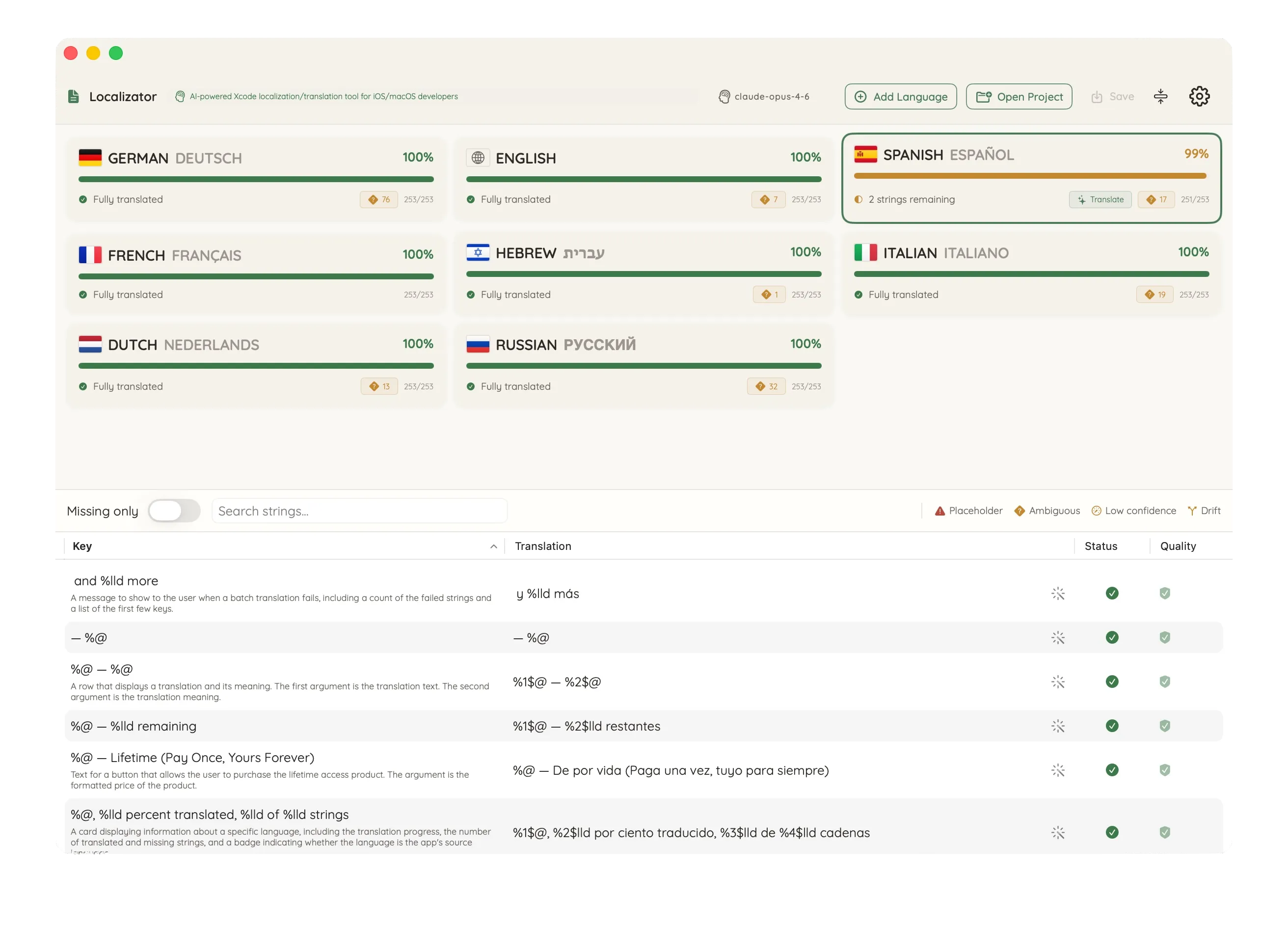
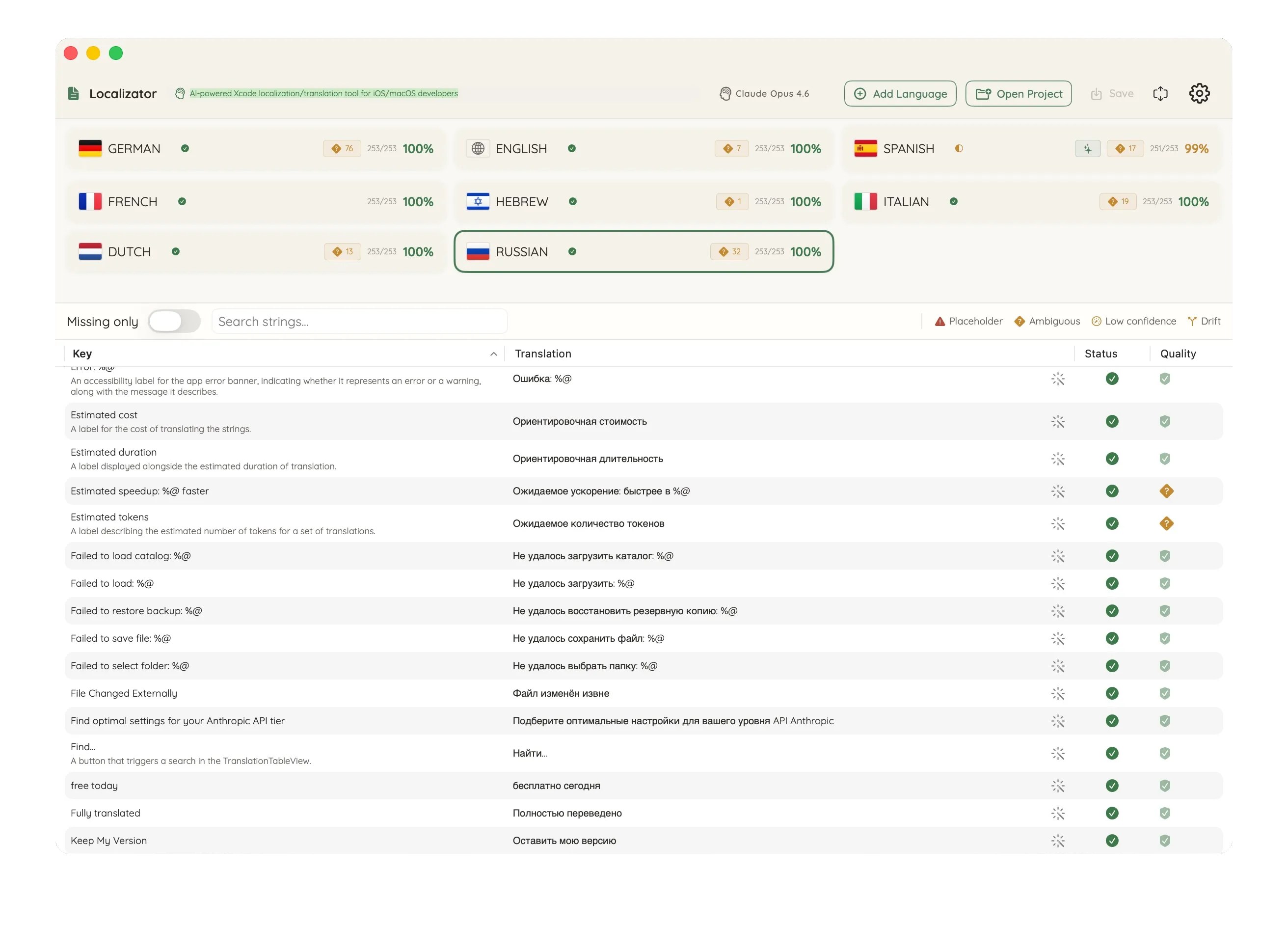
Your languages, at a glance
Every language gets a card with live progress. See what's translated, what's missing, and what needs attention — without opening a single menu.
AI catches what you'd miss
'Bank' can mean a river bank or a financial institution. 'Set' has hundreds of meanings. Localizee flags strings where context matters — so you ship the right translation, not just a translation.
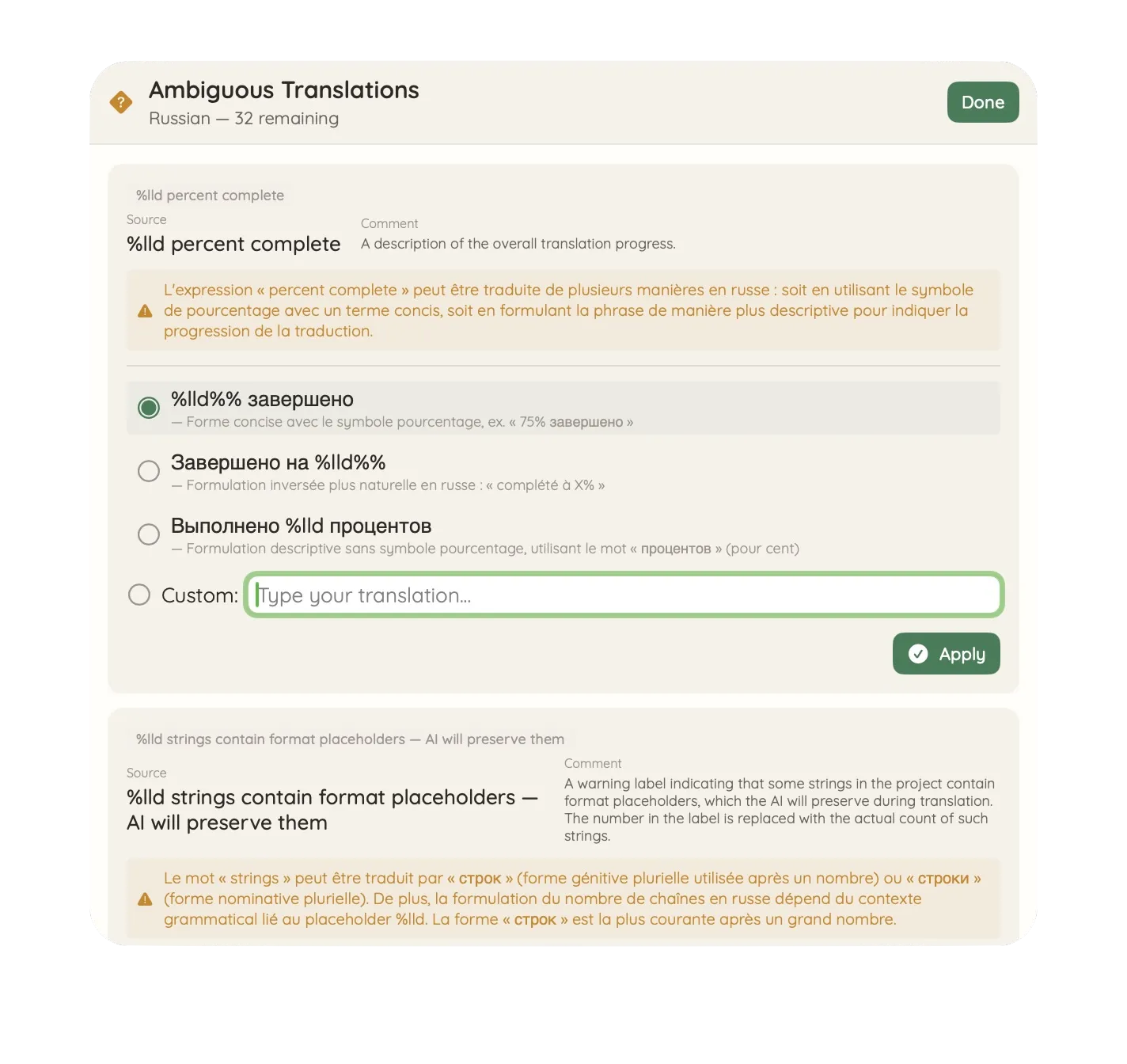
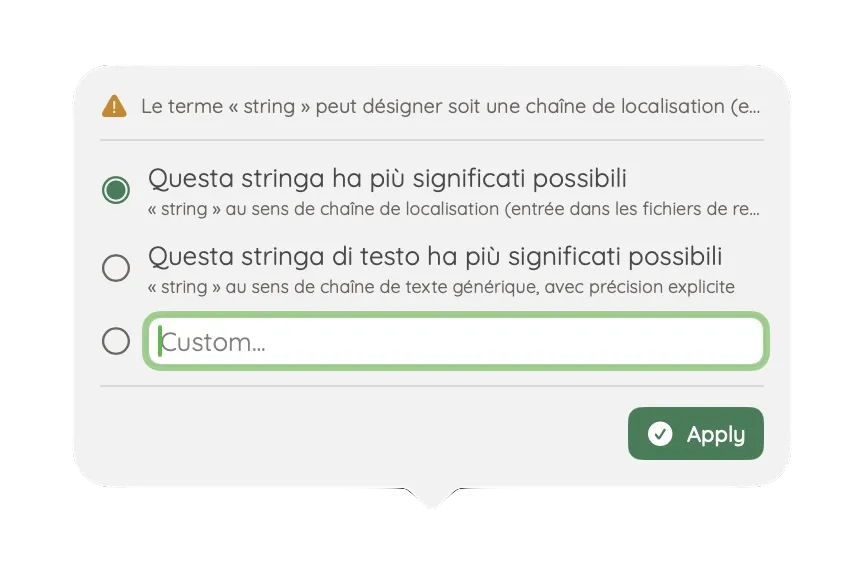
Resolve ambiguity in one click
For every ambiguous string, AI explains why it's ambiguous, suggests alternatives with meanings, and lets you pick the right one. No guessing. No spreadsheet discussions. Just clear choices.
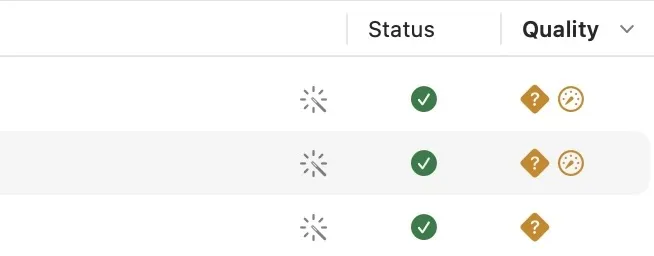
Quality you can see
Placeholder validation, confidence scoring, and terminology drift detection — all visible inline. Green means good. Orange means review. Red means fix before you ship.
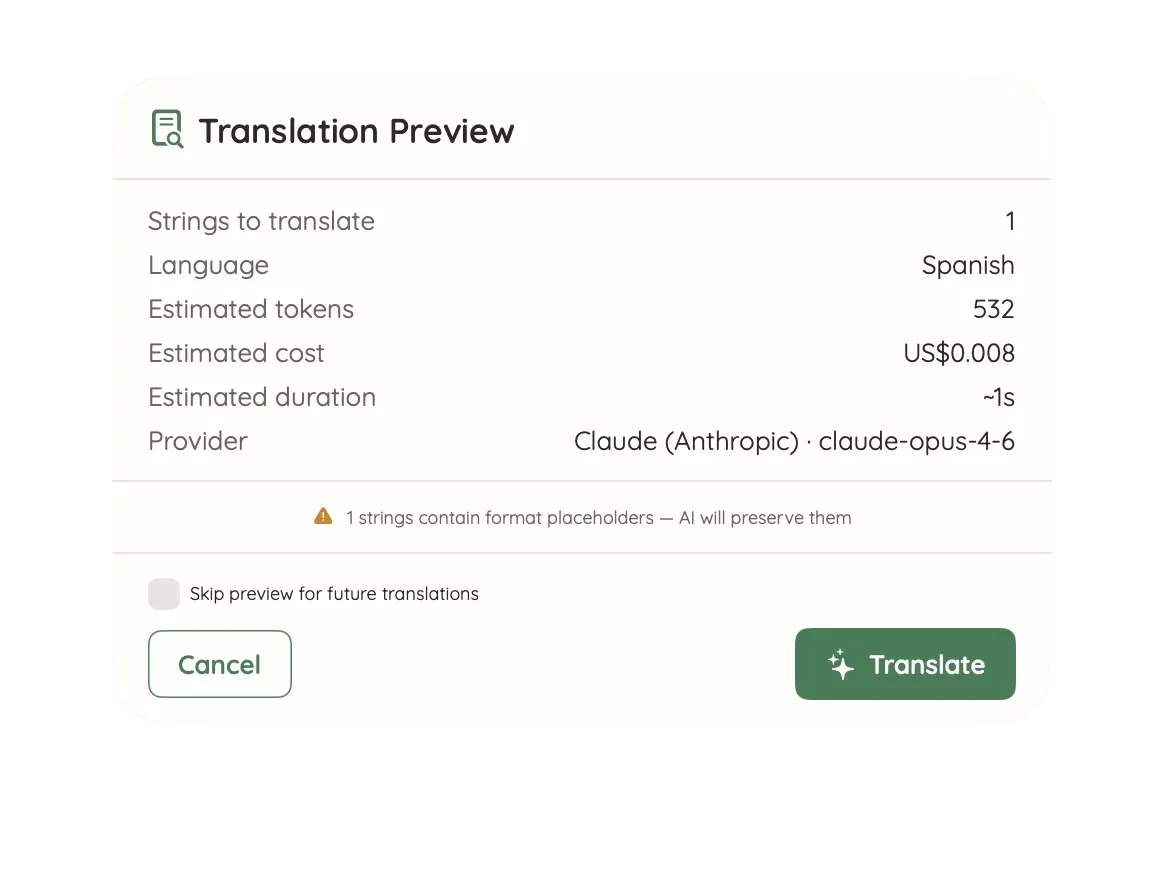
Know the cost before you commit
Dry Run previews every batch: how many strings, estimated tokens, estimated cost, and duration. No surprises. Translate when you're ready.
Comfortable or compact — your choice
Switch between spacious cards and a dense, focused layout. Compact mode shows more strings per screen — perfect for large catalogs and long sessions.
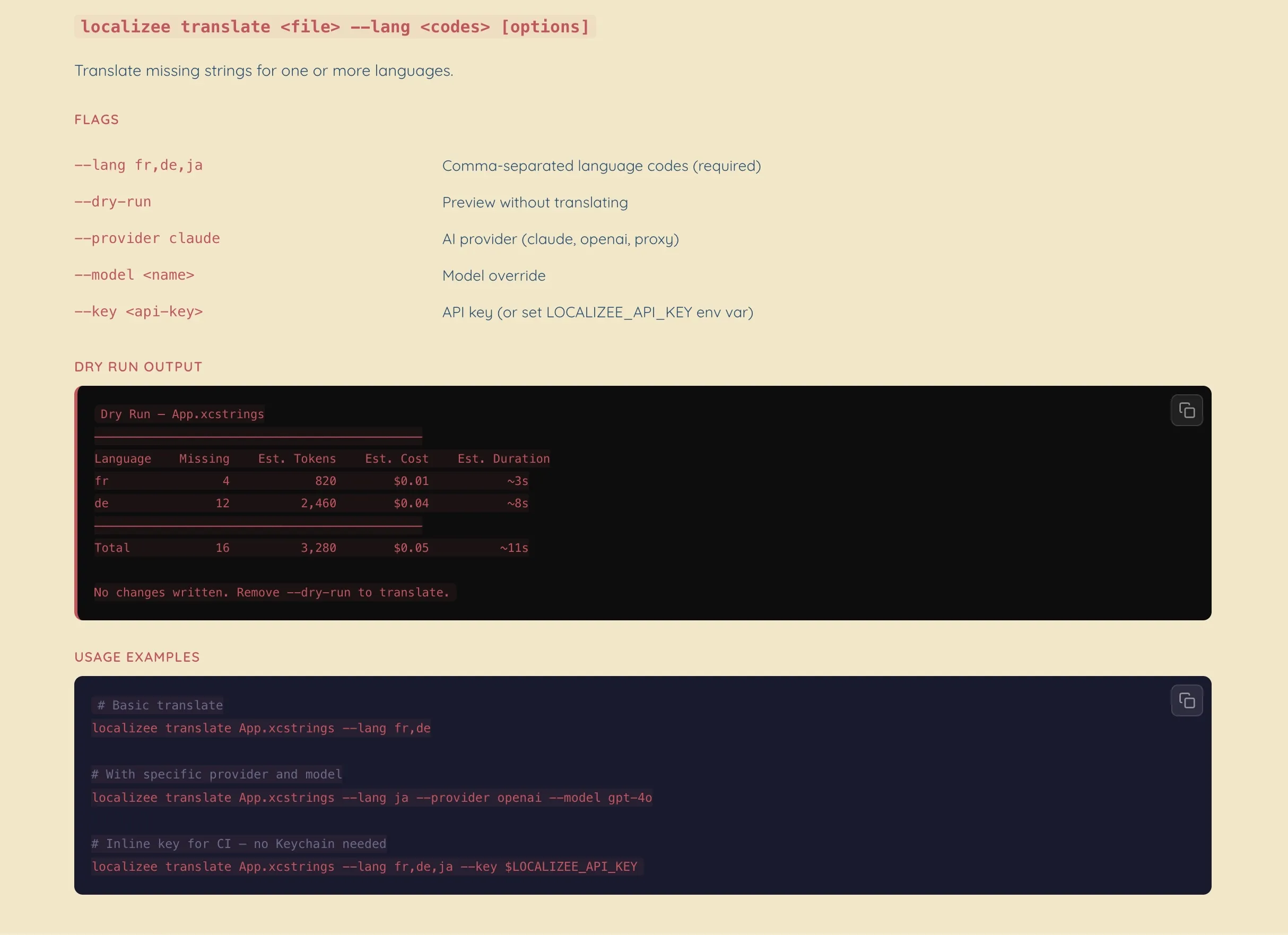
Automate from Terminal
Status checks, batch translation, dry-run previews, and CI integration — all from the command line. Ships inside the app, one command to install.
How It Works
Three steps to a fully localized app.
Open Your Project
Point Localizee at your Xcode project folder. It finds your .xcstrings catalog and .xcodeproj automatically, imports your existing languages, and detects your app's domain.
Translate with AI
Pick a language and translate — one string at a time or the entire batch. AI adapts to your app's tone, preserves placeholders, and flags ambiguous strings for your review.
Save & Ship
Translations write directly back to your .xcstrings file. Open Xcode, build, and your app speaks a new language. No file conversion. No copy-pasting.
Built for macOS
A native Mac app for the tools you already use.
Start for Free
Edit strings, manage up to 3 languages, and try 10 AI translations per day — no purchase needed.
Free
- Edit .xcstrings files
- Up to 3 languages
- 10 AI translations per day
- Quality issue visibility
- Dry Run preview
- Compact & comfortable views
Pro
- Unlimited languages
- Batch translation
- Ambiguity resolution
- Full quality checks
- Multiple AI providers
- Included AI — no key needed
- CLI access